
A Traceroute Test can be run from Mail Assure's Network Tools page by a user at any level.
- Login to Mail Assure
- In the right-hand menu, navigate to Continuity > Network Tools
- Switch to the Traceroute tab
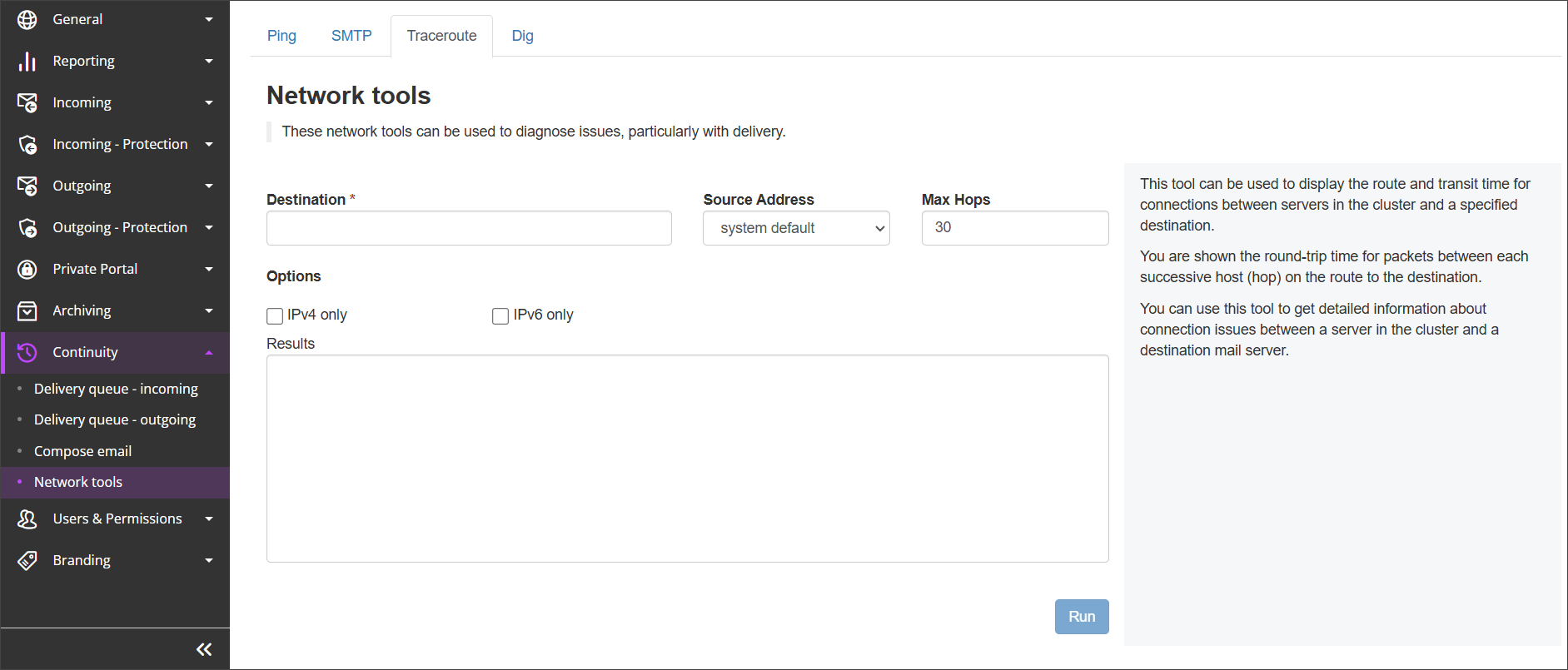
- Fill in the Traceroute Test Fields
- Hostname/IP: The host server you need to test route and transit time for
- Source Address: The IP address or range of the starting point of the text
- Max Hops: The maximum number of links that a packet can pass through on its way to the destination
- Check IPv4 only or IPv6 only option to check route and transit time from these IP address versions only
- Click Run
Once run, the results of the Tracerout test will appear in the Results box on the page